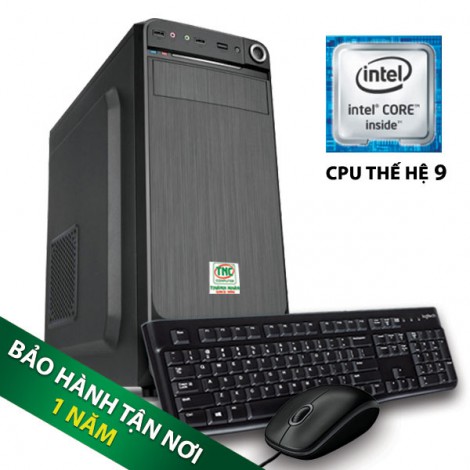
SSN Unit I7 9700 SSD 8GB
1) General cleaning: It is necessary to keep the computer clean both inside and outside. Should use a soft brush to wipe away the dust, stains. This should be done at least once a year.
2) Use a voltage stabilizer: The computer is very sensitive to sudden changes of amperage, just a sudden electrical problem such as power outages, power surges, short-circuits ... can do damage the hard drive or explode the motherboard ... Therefore, it is advisable to equip the computer with a voltage stabilizer or a UPS.
3) Screen power off: Screen power off when not in use to give the machine time to rest. If the screen is turned on frequently, the screen light will be weak (for CRT monitors) or a pixel sensor will appear (for LCD monitors).

4) Keep the system running: Unlike the screen, turn it off whenever you exit the operating system. When the computer system always needs to work, the solution here is to put the computer to sleep in Hibernation mode instead of shutdown completely when not working with it anymore.
5) Hard drive health check: From the My Computer window, right-click the hard drive icon you want to check, select Properties \ Tools \ Check now. Or you can use other professional software to check more closely. If the program detects a hard drive with many errors or Bad sectors, immediately back up important data before repairing it.
6) Antivirus: Can use high quality Vietnamese programs such as BKAV 2006, D32 (small capacity, support Vietnamese) or foreign goods such as Norton Antivirus 2006, Panda Titanium 2006, Symantec Antivirus ...
7) Check CMOS battery: This battery is also called battery because it uses its power to "feed" the information set in the BIOS to make the system bootable. To check the status of battery farming, watch the system clock, if it starts to run slowly, it is necessary to quickly replace the new battery.

8) Be careful when opening the case: When you want to open the case, need to turn off the power and unplug the power plug from the electrical outlet. When touching components inside the case, allow the body to be directly grounded or through a conductive object or wear an antistatic wrist strap to avoid damaging the board.
9) Mouse maintenance: To clean the mouse, use a small shaver to scrape the dirt on the plastic rods (the part contacting the ball), the scroll wheel, and wipe the ball with a towel. For optical mice, simply scrape the dust off the scroll wheel.
10) Keyboard maintenance: Here's how to maintain and clean a computer keyboard:
a- Unplug the keyboard from the computer, turn the keyboard upside down and lightly pat it to let dust out.
b- Use a vacuum / blower to remove dust and dirt from the space under the keys.
c- Clean the keyboard with a clean, dry cloth. If the keyboard is too dirty, you can use a damp cloth to wipe but then have to dry it again. Do not use cleaning agents as this may obscure the symbols on the keys.
d- Use a clean metal cloth wrapped with cloth to clean the sides of the keys.
e- If the keys are not light and smooth, you can use the flat metal rod or screwdriver to pry the keys up, if not necessary, do not need to remove the big and long keys such as Enter, Shift, Space Bar, .. Note that you must remember the positions of the keys so that when you reattach them correctly.
f-Clean the bottom and use a 90-degree alcohol swab to clean key holes.
g- Finally, attach the keys and plug the cord into the computer. Recheck the position of the keys with word processing programs.

11) Registry Cleaner: It is recommended to use software such as Registry Mechanic, Tuneup Utilities 2006 ...
12) LCD monitor maintenance: Be careful when cleaning, use a soft and clean cloth, preferably a soft cotton cloth. Do not use toilet paper or paper towels, as they may scratch the screen or leave dust after wiping.
13) The content of toxic chemicals in this product does not exceed the permitted level in Circular 30/2011 / TT-BCT, specifically lead (Pb), mercury (Hg), Cadimi (Cd), Chromium Chemotherapy 6 (Cr6 +), Polybrominated bipphenyl (PBB), Polybrominated diphenyl ether (PBDE) does not exceed 0.1% by weight.
